For creators, coaches & indie authors
Turn your Markdown into a typeset PDF and EPUB.
Paste the draft you already wrote, pick the type and the paper, and download a book you can sell, send or print. The live preview breaks each page the way the export will, closely enough to fix the layout as you write. No InDesign, no Word, no layout skills.
$27 once · every book, forever · 7-day refund
Made for lead magnets, workbooks, course handouts, ebooks and whitepapers.
 PDF · EPUB
A real page from a bukpress export · Open the 8-page PDF
bukpress is a web app that turns a Markdown manuscript into a typeset A4 PDF and a reflowable EPUB. You write or paste plain text; it handles the pagination, page breaks, page numbers, margins and font embedding, and the preview shows each page as the export will set it. The design is saved as a Brand Kit, so the next book starts from it. bukpress is one plan, Lifetime, at $27 once: unlimited PDF and EPUB exports, books up to 500 pages, Google Fonts and your own font files, no watermark, no subscription. It carries a 7-day money-back guarantee.
Why it exists
The writing is done. Then the pages start fighting back.
In Word, Canva or a browser's print dialog, every page that breaks wrong is yours to fix by hand. bukpress sets the whole book from the text, by rules you choose once.
Setting a book by hand
- Press Enter until a stranded heading moves to the next page
- Copy a table's header row onto the page it spills onto
- Export, find the page that broke wrong, fix it, export again
- Rebuild the fonts, sizes and margins for every new book
In bukpress
- --- on its own line starts a new page, and stays there
- A table that crosses a page repeats its header row by itself
- The preview paginates by the export's rules, so you see the break first
- The design lives in a Brand Kit, and the next book starts from it
What is bukpress?
You write in plain text; the pagination, page breaks, page numbers, margins and font embedding are handled for you. The typography (three typefaces with their own sizes and colours, the paper, the margins in points, the covers) is set once and saved as a Brand Kit that every later book can start from.
It sits between a writing tool and a page-layout application. You are not laying out pages by hand in InDesign, Canva or Word, and you are not configuring a command-line toolchain like Pandoc and LaTeX before you can see a page. Exports render on the server and carry no watermark, and you keep every right to what you make, including the right to sell it.
Read how the PDF export and the EPUB export differ, or open a book it actually made.
- Input
- One Markdown file
- Output
- PDF, A4, paginated
- EPUB 3, reflowable
- Type
- Three faces, embedded
- Paper
- Eight textures, or yours
- Covers
- Front and back, full bleed
- Watermark
- None, ever
- Rights
- Yours, resale included
- Render
- Server-side, seconds
How it works
Three steps between a text file and a finished book
The typesetting, pagination, page breaks, page numbers and font embedding are ours. The words and the taste are yours.
Write or paste your Markdown
Type straight into the editor or drop in a file you already have. It autosaves as you go, and the page on the right repaginates while you type.
Design it once
Pick title, subtitle and body fonts, sizes, colors, margins and covers. Save the whole look as a Brand Kit and every next book starts there.
Export PDF and EPUB
The render runs on our side and the finished file lands in your downloads, laid out the way you just watched in the preview, by the renderer that has the final word.
Everything in the box
Built for people who ship books, not layouts
Lead magnets, workbooks, course handouts, whitepapers, novels: the same pipeline handles all of them. The list is set the way bukpress sets a page, because that is easier to show than to claim.
Live paginated preview. A real page-by-page preview, not a scrolling column with a dashed line. It uses the same page rules the export does, so a break you see on page 7 here should land on page 7 in the PDF too.
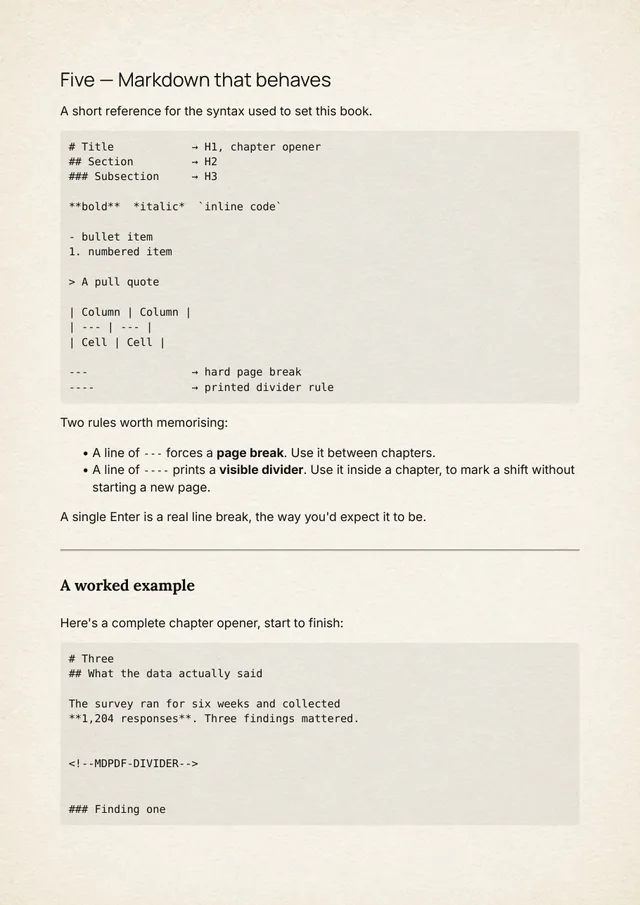
Markdown that behaves. Headings, lists, tables and code, plus a line of three dashes for a hard page break and four for a printed divider. A single Enter is a real line break, the way you expect.
Separate title, subtitle & body type. Three font pickers, three size sliders and three colors. Every dropdown renders each family in its own typeface, so you choose by eye instead of by name.
Paper, colors & margins. Eight bundled paper textures to set the page on (Ink, Cream, Midnight, Paper and four more), plus text colors, margin in points and line height. The controls a book needs and nothing you'd never touch.
Brand Kits. Save a finished design as a named kit with a live specimen card, then apply it to any book in one click. Duplicate one to spin a variant.
Front & back covers. Upload artwork and it becomes PDF page one, the EPUB's native cover, and the last page of the print file. Uploads go straight to storage from your browser.
Your own page background. Upload your own full-bleed image to sit behind every page instead of one of the bundled papers. It renders in the real export as well as in the editor.
Import from Google Fonts. Search 1,500+ families, see the weights each one actually publishes, and pull the ones you want into your account's library. No API key, no downloads.
Upload your own typefaces. Drop in the .ttf or .otf you licensed and it's available on every book: embedded in the PDF, packaged into the EPUB.
EPUB export. A reflowable EPUB alongside the PDF, carrying your fonts, colors and heading rules, for Kindle, Apple Books and everywhere else that isn't paper.
A shelf, not a folder. Every book is a project with its own text, design and artwork. Rename, duplicate the look, come back a month later and it's exactly where you left it.
No watermark. Ever. Not on a single page. Whatever you export is yours to sell, ship or print, and our name is nowhere on it.
Make it yours
Design it once. Reuse it forever.
Fonts, sizes, colors, margins and page-number rules travel together as a Brand Kit. Every kit shows a live specimen set in its own type, so you pick the look by looking at it. Apply one to a new book and you're already done designing.
Chapter One
A subtitle, set smallerChapter One
A subtitle, set smallerChapter One
A subtitle, set smallerChapter One
A subtitle, set smallerExport
A real print file, not a browser print-out
Exports render server-side on the same engine the preview mirrors: A4 pages, embedded fonts, repeating table headers, page numbers in the footer, covers front and back. Queue an export and keep writing; the file shows up when it's done.
See it for yourself
Read a book we actually exported
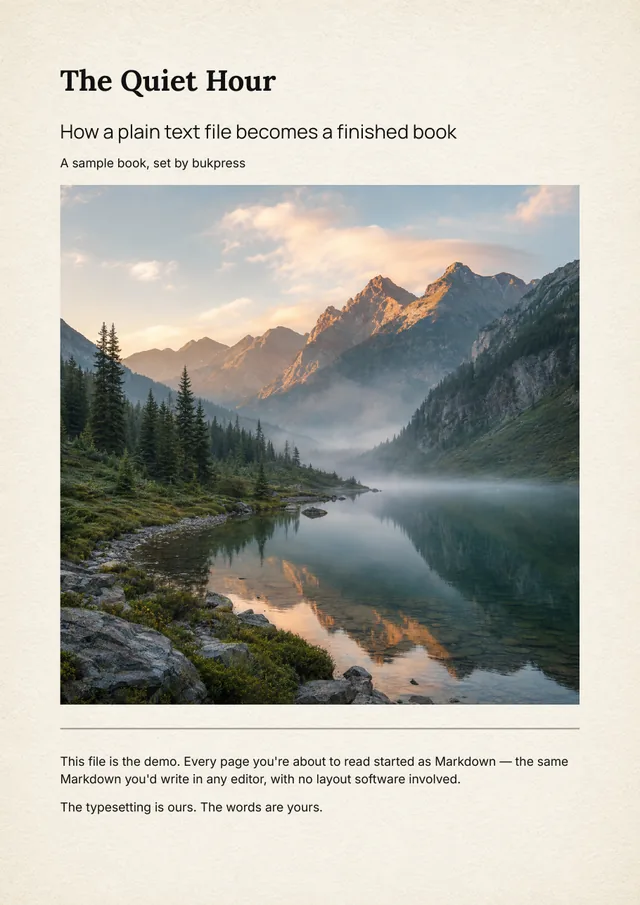
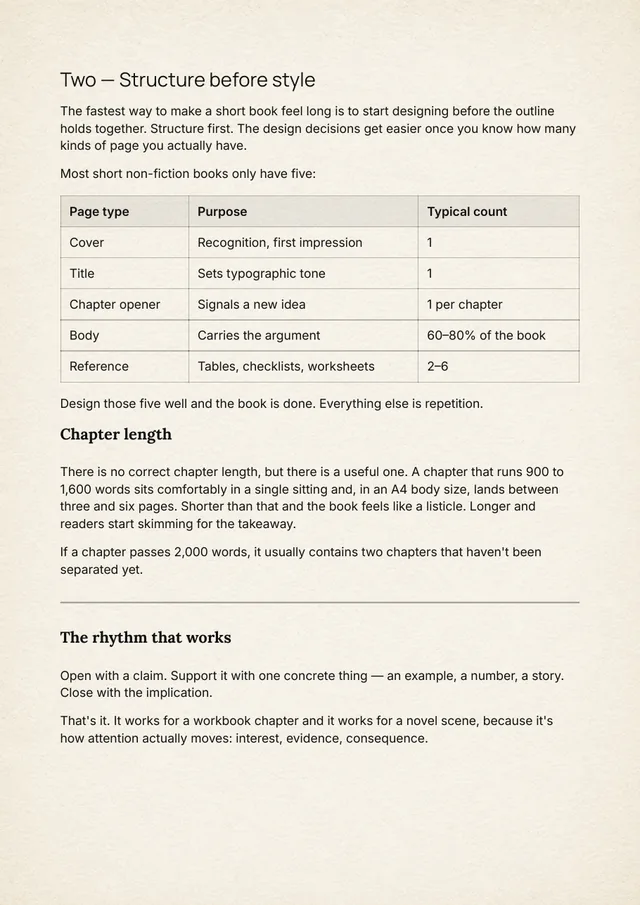
The Quiet Hour is eight pages written as one Markdown file and exported straight out of bukpress, with nothing touched afterwards. Open it and check the things that usually go wrong: the page breaks, the image that holds its place, the table set as a real table, the embedded type, the margins and the measure.
 Open the PDF
Pricing
One plan. $27, once.
No subscription and no tiers, because a book doesn't need a monthly bill. Pay once and export every book you write, up to 500 pages, with no watermark and every future update. Not for you? Refund it from your billing page within 7 days.
Lifetime
Everything bukpress does, for every book you write, for as long as bukpress exists.
- Unlimited PDF + EPUB exports
- Books up to 500 pages
- Brand Kits, custom covers & your own page background
- Google Fonts import + your own .ttf / .otf
- No watermark, no subscription, every future update
Lifetime is charged at checkout and comes with a 7-day money-back guarantee: ask for the refund from your billing page inside 7 days and the payment comes back in full.
Do I need to know Markdown?
No. If you can write a heading with a # and a bold word with two asterisks, you already know enough. Everything else (page breaks, dividers, page numbers, spacing) is handled by the editor or by a design setting, with no syntax to memorise.
Will the PDF really look like the preview?
Very closely, and that is the point of the build. The browser preview paginates with the same page rules the server-side renderer uses, so page breaks, margins and page numbers line up. They are still two rendering engines, a browser and the renderer, so if they ever disagree by a line, the exported PDF is the final word.
How much does it cost?
$27, once. There is one plan, Lifetime: unlimited PDF and EPUB exports, books up to 500 pages, Brand Kits, Google Fonts and your own font files, and every future update. No subscription and no watermark. If it isn't for you, refund it from your billing page within 7 days.
Can I use my own fonts and covers?
Yes. Every book picks its page from eight bundled paper textures; Lifetime adds covers, your own background image, Google Fonts import and uploading your own licensed .ttf or .otf files. Anything in your font library works on every book in your account, and gets embedded in the export.
What's the difference between the PDF and the EPUB?
The PDF is fixed A4 pages: what you'd send to print or hand out as a lead magnet. The EPUB reflows to whatever screen it's read on, carrying your fonts, colors and heading styles. Both come with Lifetime.
Can I print it or put it on Amazon?
The PDF is a print file: A4 pages with every font embedded, ready for a home printer or a print shop. For a Kindle ebook, KDP takes the EPUB. A KDP paperback is printed at a trim size from Amazon's list; A4 is on that list, and bukpress exports A4 only, so a 6 × 9 novel is a job for a different tool.
Can I sell the books I make?
Yes. You own what you write and what you export. We don't claim rights to your content and we don't put our name on it.
What if it isn't for me after I pay?
You get your money back. Lifetime is charged at checkout, and for 7 days after that, one click on your billing page refunds the payment in full. The books you already exported stay yours either way.
Your draft is already a book.
It just hasn't been set yet. Paste it into bukpress and export the finished file today.
Get Lifetime, $27 once